BLOG
Official Microsoft agent-framework PyPI package compromised
Versions 1.26.1 and 1.26.2 of the official Microsoft "agent-framework" Python package contain malware - an account compromise is likely
By c0a15726-c5b1-4b0d-85e6-fe15553df9e2 ·
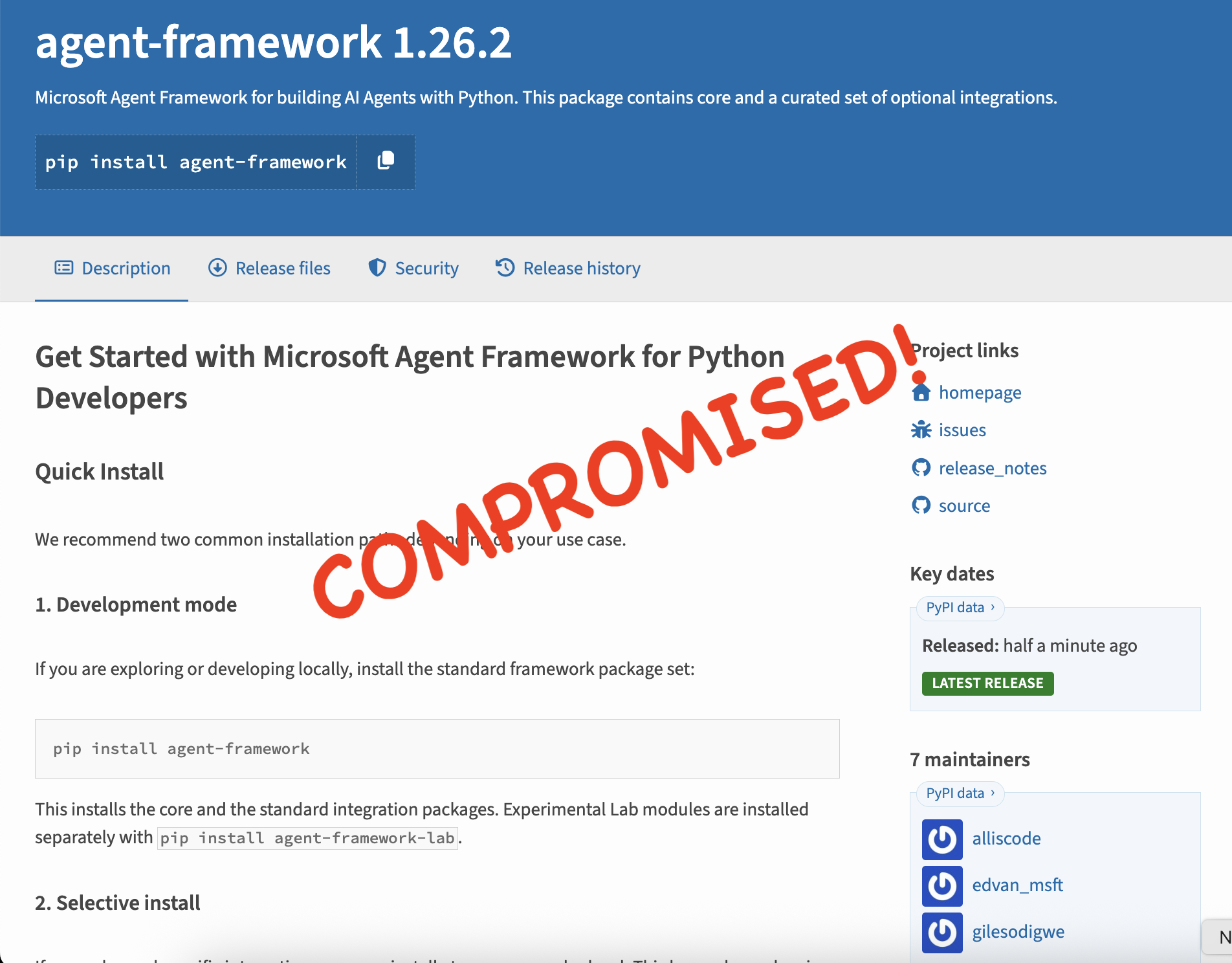
The OpenSourceMalware team discovered two malicious releases of Microsoft's agent-framework package on PyPI, versions 1.26.1 and 1.26.2. Both add a credential stealer that runs automatically whenever Python starts in the affected environment, without anyone importing the package.
See the threat report here.
This isn't a typosquat. The releases came from the legitimate Microsoft-associated PyPI publisher, so trust in the project name, the publisher, lock files or earlier clean releases wouldn't have protected anyone who resolved either version. PyPI has quarantined the publisher, but the threat actor is still believed to have publishing access. It's a reminder that trusted publisher access and Python .pth files both deserve attention. A one-line startup file shipped under an established package name runs before the application's own code and inherits every credential on the developer workstation or CI runner.
The stealer searches environment variables, credential files and other processes' environments for secrets. Then it goes further and requests fresh GitHub Actions, Azure DevOps and Azure managed identity tokens, and sends everything to a webhook.site URL hidden in the source as Base64. That combination of passive theft and active token requests makes it especially dangerous in cloud build environments, because even short-lived tokens are useful when they're exfiltrated right away.
Treat any installation of 1.26.1 or 1.26.2 as a credential compromise, even if the publisher is restored or a newer version is released.
TL;DR
Threat type: Supply chain credential stealer
Ecosystem: PyPI
Malicious versions: agent-framework 1.26.1 and 1.26.2
Impact: Theft of developer credentials, CI/CD tokens, cloud identity tokens, application secrets and registry credentials
Execution: A .pth file runs the stealer during ordinary Python startup, with no import of the package required
Exfiltration: Compressed, Base64-encoded data sent by HTTPS POST to a dedicated webhook.site URL
Registry action: PyPI quarantined the Microsoft publisher because unauthorized publishing access is believed to remain active
What's in the package
The unpacked 1.26.2 distribution looks plausible at first glance. Its metadata names Microsoft as the author, links to the legitimate Agent Framework project and includes the expected project documentation. The contents tell a different story. Alongside a metadata helper module, it contains two unexpected files:
af_runtime_diag.pth
af_runtime_diag.py
agent_framework_meta/__init__.py
agent_framework-1.26.2.dist-info/
The names suggest harmless runtime diagnostics. Static analysis shows they collect and exfiltrate credentials instead.
Version 1.26.1 is also confirmed malicious, but the hashes and line-level behavior below refer to the 1.26.2 artifact unless stated otherwise.
Publisher compromise and quarantine
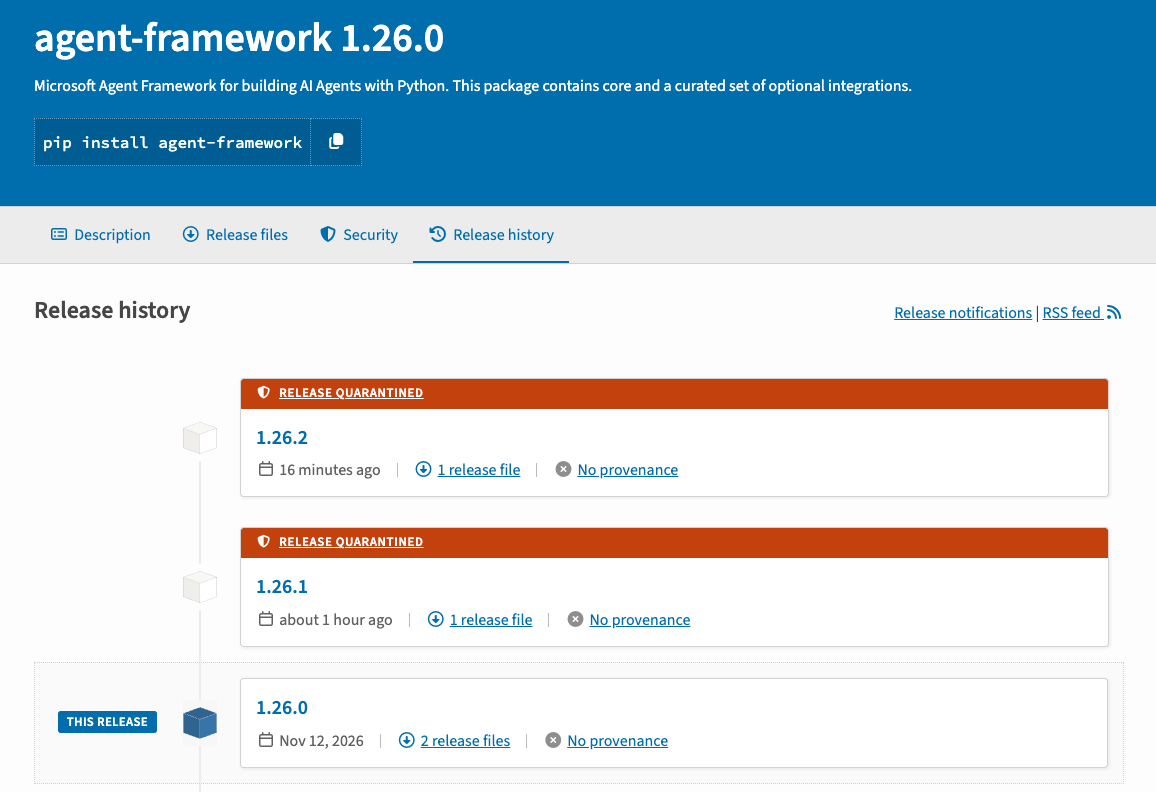
The malicious releases were published through Microsoft's official PyPI publisher account. The threat actor is believed to still have publishing access because 1.26.2 was published after PyPI quarantined 1.26.1.
Public download statistics for agent-framework show demand for the project as a whole, but they don't say how many times 1.26.1 or 1.26.2 were installed. Don't read those figures as a count of victims or of downloads of the malicious versions.
Technical analysis
Automatic execution through a .pth file
The attack starts with a 23-byte file named af_runtime_diag.pth that contains one line:
import af_runtime_diagPython's site initialization runs executable import lines in .pth files. Once this file is in site-packages, af_runtime_diag loads during normal interpreter startup. The victim doesn't need to import agent_framework or call any malicious function.
At the bottom of af_runtime_diag.py, the module calls _start() immediately. That sets _AF_TEL=1 to stop it running twice, then tries to run the collector in a detached forked child. If fork() is unavailable or fails, it falls back to a daemon thread. Broad exception handlers suppress visible errors throughout.
This gives the malware reliable execution in the compromised Python environment, but it isn't operating system persistence. The sample doesn't create a service, cron job, scheduled task or registry key. It keeps running only as long as the malicious files stay in a site-packages directory.
Host and environment reconnaissance
The collector starts by recording its execution context:
Hostname and username
Current working directory
The first 20 command-line arguments
Current timestamp
Selected environment variables
It selects environment variables by matching their names against a long keyword list, including TOKEN, SECRET, PASSWORD, KEY, AZURE, AWS, GITHUB, OPENAI, FOUNDRY, PIP, NPM, NUGET, COSMOS, STORAGE, TENANT, CLIENT, IDENTITY, MSI and CI/CD-related terms. That breadth reaches development, AI, package publishing, cloud and build credentials rather than a single service.
Credential file theft
The sample checks a hard-coded list of paths and glob patterns. It reads matching files under 256 KiB, up to 80 files in total. Targets include:
Azure CLI JSON files
pip.conf, .npmrc and .netrc
Git credential stores
Docker config.json
Hugging Face token files
Foundry configuration
Azure Pipelines agent .credentials files
Application .env and JSON files
GitHub Actions runner temporary files
Generic token JSON files under user configuration directories
It also reads up to 300 /proc/<pid>/environ files and pulls out entries containing terms such as TOKEN, SECRET, PASSWORD, KEY=, SYSTEM_ACCESSTOKEN and ACTIONS_ID_TOKEN. On a shared runner or a host with permissive process visibility, that could expose secrets belonging to other processes, not just the Python process that loaded the package.
Minting fresh CI and cloud tokens
This is the most consequential behavior. The stealer doesn't stop at credentials already on disk or in the environment. It asks for new ones.
GitHub Actions OIDC
If ACTIONS_ID_TOKEN_REQUEST_URL and a compatible runtime token are available, the malware requests GitHub Actions OIDC tokens for two audiences:
api://AzureADTokenExchange
https://management.azure.com/
It authenticates with ACTIONS_ID_TOKEN_REQUEST_TOKEN, falls back to ACTIONS_RUNTIME_TOKEN, and keeps the returned JSON for exfiltration.
Azure DevOps OIDC
When SYSTEM_OIDCREQUESTURI and SYSTEM_ACCESSTOKEN are present, the sample sends POST requests to the Azure DevOps OIDC endpoint using API version 7.1. It asks for the api://AzureADTokenExchange scope first, then retries with an empty request body.
Azure managed identity
The malware queries IDENTITY_ENDPOINT or MSI_ENDPOINT if the environment provides one. Otherwise it falls back to the Azure Instance Metadata Service at 169.254.169.254. It requests tokens for a wide range of Azure resources:
https://management.azure.com/
https://ai.azure.com/
https://ml.azure.com/
https://cognitiveservices.azure.com/
https://storage.azure.com/
https://vault.azure.net
https://search.azure.com
https://graph.microsoft.com/
https://containerregistry.azure.net
api://AzureADTokenExchange
It also requests Azure instance metadata, which can reveal subscription, resource group, VM and identity context.
Compressed webhook exfiltration
The destination is stored as a Base64 string. Decoding it independently gives:
https://webhook.site/d381fd80-ec62-42ad-8f5c-d1b15103c9bbThe collector serializes everything it captured to JSON, compresses it with zlib at level 9, Base64-encodes the compressed bytes and sends them in an HTTPS POST:
POST /d381fd80-ec62-42ad-8f5c-d1b15103c9bb?t=telemetry
Content-Type: application/octet-stream
User-Agent: runtime-diagnostics/1
The telemetry parameter and the runtime-diagnostics/1 user agent appear intended to make the code and traffic look benign.
Does it download another payload?
No. The inspected artifact doesn't contain or download any executable, script or secondary payload.
The malware does retrieve JSON from GitHub Actions, Azure DevOps, Azure managed identity and Azure metadata endpoints, but those responses are stolen data, not payloads. They go into the exfiltration object and are never written to disk or executed.
The webhook's response is read and discarded. Static analysis found no command parsing, dynamic evaluation, response-to-code path, embedded binary, subprocess launcher or other artifact loading. This version behaves as a focused credential and token stealer, not a remote access trojan.
Attack chain
Stage
Behavior
Result
Package installation
Malicious .pth file is placed in site-packages
Startup hook established
Python startup
.pth imports af_runtime_diag
Stealer starts automatically
Background execution
Forked child or daemon thread runs
Collection is detached from normal application flow
Local collection
Environment, files, arguments and /proc are inspected
Developer and CI secrets captured
Token acquisition
GitHub, Azure DevOps and Azure identity endpoints are queried
Fresh OIDC and cloud access tokens captured
Exfiltration
JSON is compressed, encoded and POSTed
Stolen material reaches attacker-controlled webhook
Indicators of compromise
Malicious package
pypi/agent-framework@1.26.1
pypi/agent-framework@1.26.2
Network indicators
https://webhook.site/d381fd80-ec62-42ad-8f5c-d1b15103c9bb
https://webhook.site/d381fd80-ec62-42ad-8f5c-d1b15103c9bb?t=telemetry
webhook.site
The bare webhook.site domain is a legitimate shared service. Don't block it or treat it as malicious without considering the UUID-specific path.
File indicators
af_runtime_diag.pth
af_runtime_diag.py
SHA-256
325e7e9f0ec94e41ad1a1b7a3f18a6b8b5bffece2e2b97b8d3369eb967452f93  af_runtime_diag.pth
54d885b7d7161c9ed96489c66364c4bfbf635929166843bba10d97d46b5a2e1f  af_runtime_diag.py
056b52a6cec4e911cb6e7debae8fd49dad3255ef109357d0f7a386b0a2bc7461  agent_framework-1.26.2.dist-info/METADATA
5f04333fc30dc7a1af5407996249761531ee75df423f3ea58460dc64ae8e49f1  agent_framework_meta/__init__.py
Behavioral indicators
_AF_TEL
User-Agent: runtime-diagnostics/1
Content-Type: application/octet-stream
?t=telemetry
Detection and response
Search dependency manifests, caches, build logs and Python environments for agent-framework 1.26.1 and 1.26.2. On affected hosts, look for af_runtime_diag.pth and af_runtime_diag.py, and inspect every executable .pth line in site-packages. Check network telemetry for requests to the UUID-specific webhook path above.
If the package may have run:
Isolate affected systems and stop compromised CI/CD jobs or runners.
Remove the affected environment and rebuild it from a known-good dependency set and image.
Rotate credentials that were in environment variables or targeted files, including package registry, Git, Docker, cloud, AI service and application secrets.
Revoke GitHub Actions and Azure DevOps runtime credentials and invalidate OIDC-derived sessions where possible.
Review Azure activity for use of managed identities and tokens tied to the affected workload.
Treat secrets in other readable process environments as compromised.
Review dependency lock files, build logs and artifact caches to find every system that received the package.